Digikala Commercial UX Team Restructure

Revamping the UX team, its process & communications

About Project
The Digikala Commercial Department manages the relationships with about 1000 active suppliers and 300K active merchants and offers several products, such as the Seller Panel and the Supplier Panel, etc. Upon joining as the commercial design team manager in September 2021, I saw opportunities for improvement amidst challenges. I successfully led a team restructuring, implemented effective communication guidelines, and shifted our focus to user-centric, data-driven designs, transforming these challenges into avenues for growth and success.
Year
2021
My Role
Design Chapter Lead

Brief History

What is Digikala?
Digikala is a well-known online shopping platform in Iran, offering a wide range of products including electronics, household appliances, beauty products, fashion, and more. Digikala has over 4 million active users and offers more than 10 million products from over 300,000 sellers. The company's website receives more than 41.5 million monthly visits, making it one of the most visited websites in Iran.

What is Digikala Commercial Department?
The Commercial Department of Digikala is comprised of several specialized teams, including Business, Product, Engineering, UX, and Content, with more than 200 employees. From supply-chain and merchants management to end-to-end operation process and business development, are among their responsibilities.

Problems

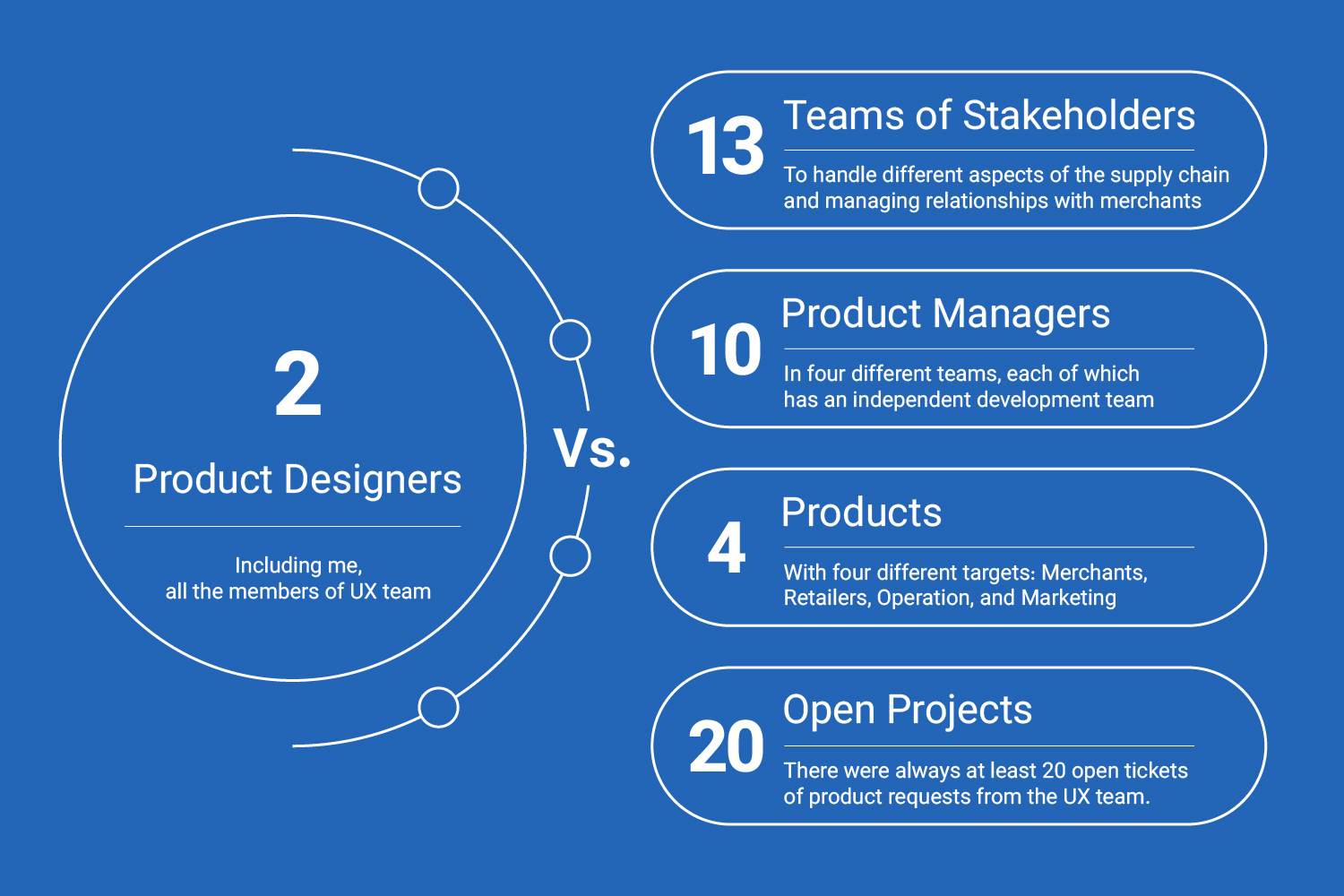
Insufficient UX resources Vs. business development plans
As a manager, I was confronted with the challenge of a two-person design team, despite the several stakeholders with high expectations from the product and design teams to help achieve their business goals.
UX resources Vs. business development plans
Side effects:
Lack of autonomy
  • For 2 years, the relegation of the design team to mere executors of orders had left no time to investigate the business and users needs. The UX team lacked autonomy, as business priorities usually overcame the decision-making process. Being accustomed to this top-down approach resulted in an inadequate user experience and design outcome.
Siloed Approach
  • The Seller Panel experience was not complete because it lacked a holistic view of the user experience and was viewed as separate functions instead of a cohesive system. As a result, the design and functionality of the system did not meet the needs of the sellers, leading to dissatisfaction and rendering new features ineffective.
Limited Feature Evaluation
  • A shortfall in the proper evaluation of new features was added to the seller panel, which hindered the UX team's ability to optimize and enhance the user experience.
Costly Non-Optimization
  • A lack of user-centric and data-driven processes leads to an increase in costs for utilizing features and functionality in the seller panel.
Fragmented Development Process
  • Ineffective collaboration and interaction between the business team, product team, and engineering teams led to a fragmented and suboptimal design and development process.

Solution

Expanding the UX Team
I decided to expand the team, enhancing the capabilities and strength of the UX team. In a six-month plan, three members and a dedicated UX Researcher and UX Writer were added to the UX team. Currently, the Commercial UX team consists of four designers, one UX researcher, one UX writer, and myself as the team leader.
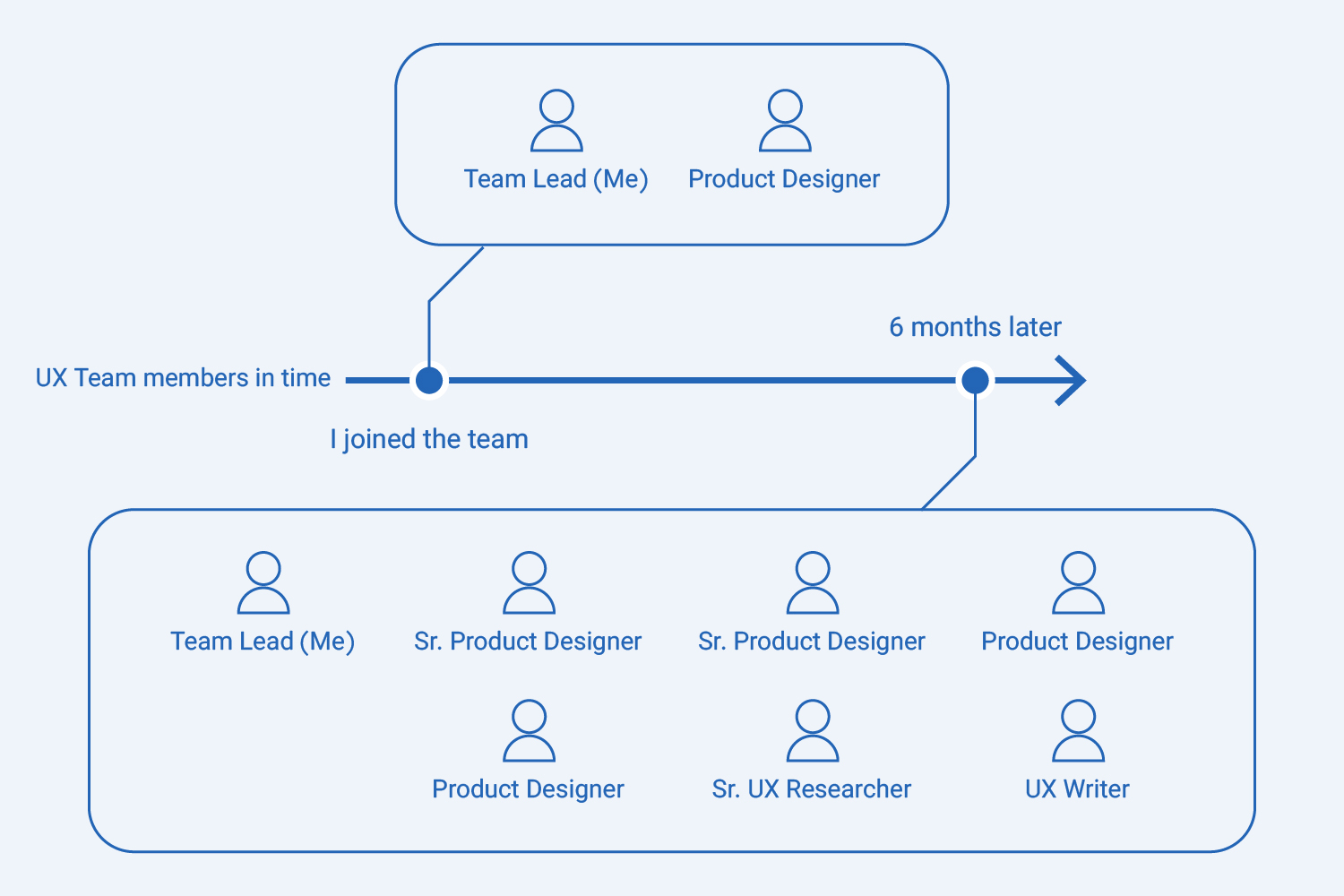
UX team members in time
Revamping the UX Decision-Making Culture
It was time to revise the decision-making process. This is how the department used to make decisions:
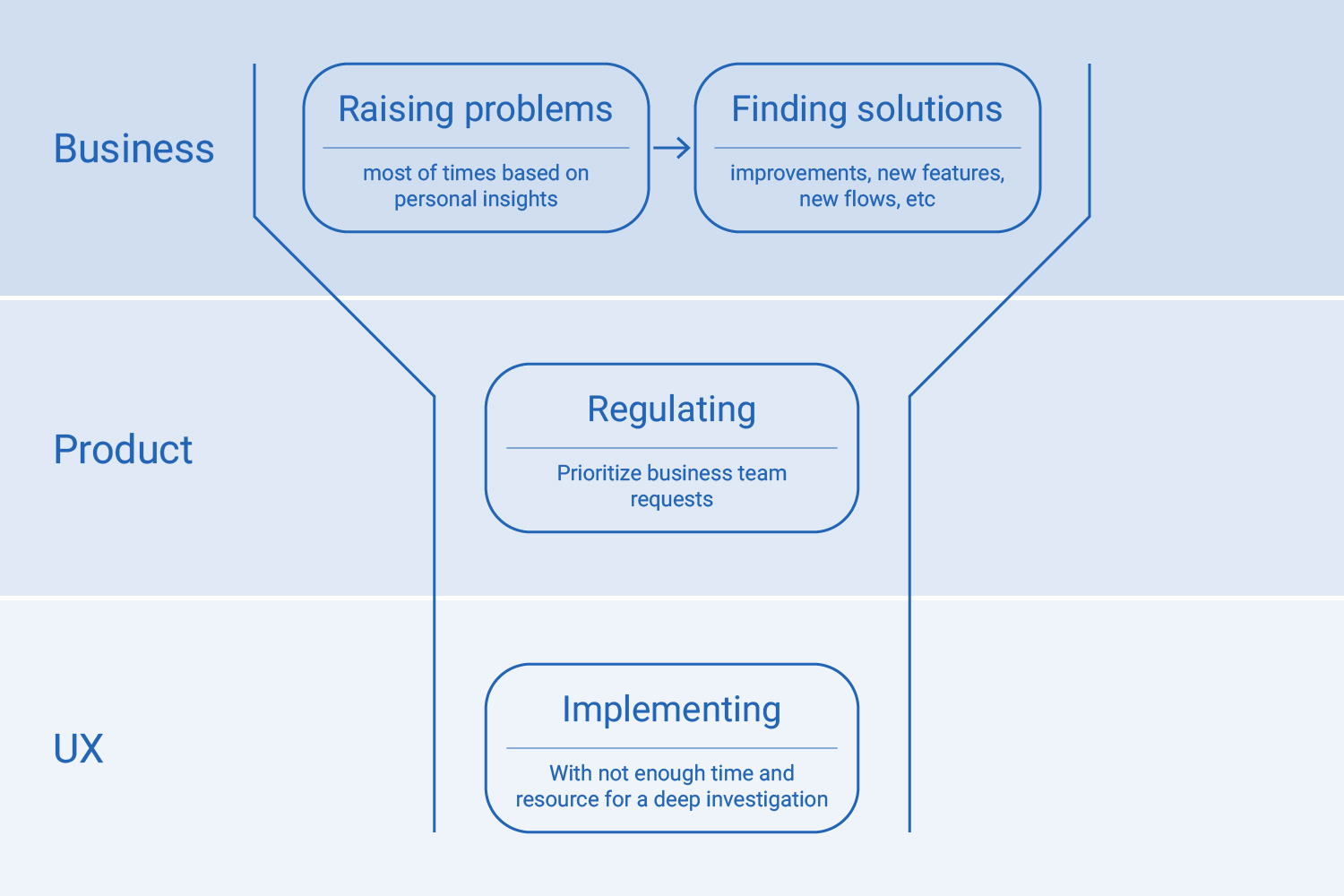
UX Decision-Making Process (Before)
In a three-month plan, I collaborated with a committee consisting of Design, Research, and Product teams, and through meetings with stakeholders, gradually gained their trust for the correct decision-making process. As shown below, the new model is based on a five-stage design thinking process.
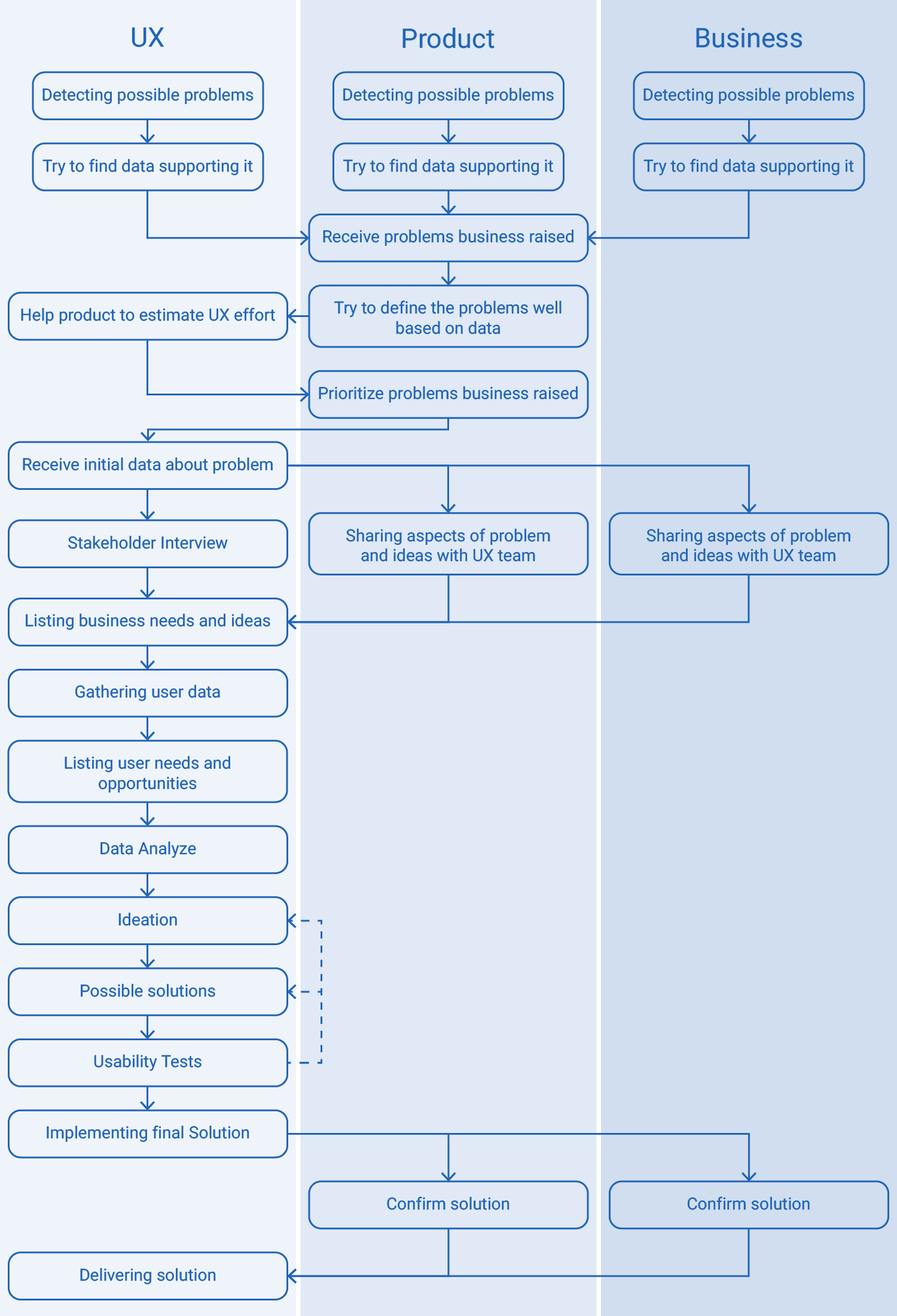
UX Decision-Making Process (After)

Internal Culture of the UX Team
With the expansion of the design team, to better advance processes and maximize the capacity and capabilities of the team, I devised the following workflow for the UX team to create greater coordination among different teams (Design, Research, and Writing) and foster a stronger team spirit:

1. Cross-Functional Collaboration:
Simultaneous presence of Design, Research, and Writing teams in a meeting where the issue is to be delivered to the UX team, that helps to have a unified approach to UX problem-solving

2. UX Team Strategy:
An internal UX team meeting to select the design responsible, decide whether research is needed, and estimate each task.

3. Synergistic Workflow:
Effective collaboration between Design, Research, and Writing teams to prevent task interference and maximize productivity.

4. Project Lifecycle Meetings:
Routine meetings for each project, including brainstorming sessions, solution demos at various stages for all team members, weekly updates, retrospective and lessons learned meetings after each project, if necessary.

5. Fostering Growth and Progress:
Increasing team seniority and creating a sense of progress among team members when achieving set goals.

6. Streamlining Onboarding:
Establishing a clear and documented onboarding process for new team members.

Enhancing stronger relationships among design, development, and product teams
To deliver the final output of the Design team more accurately and with fewer ambiguities to the Development team, I introduced a new set of standards within the Design team:

1. UX Documentation:
In addition to tracking project progress in Jira, I asked team members to create documentation for each project based on a predefined template. The general structure of the documentation begins with a brief history of the project, followed by a chronological list of tasks performed on the project. Finally, the chosen and final solution is presented, and after the project's final launch, the results obtained from the project are added to the documentation.

2. Improving the Standard of Delivering Final Designs to the Development Team:
By making the design system interactive and ultimately providing a fully interactive prototype along with a guide document to the Development team for all projects, we were able to more effectively communicate all aspects of the design and new flows, both during grooming and planning meetings and when developers were implementing the Design team's solutions.

3. Enhancing the UX Quality Assurance Process:
Reviewing the previous process of examining the implemented flows by the Development team, identifying issues that cause the final result to be lengthy and inaccurate, and proposing solutions to make this process more efficient and effective.
Results

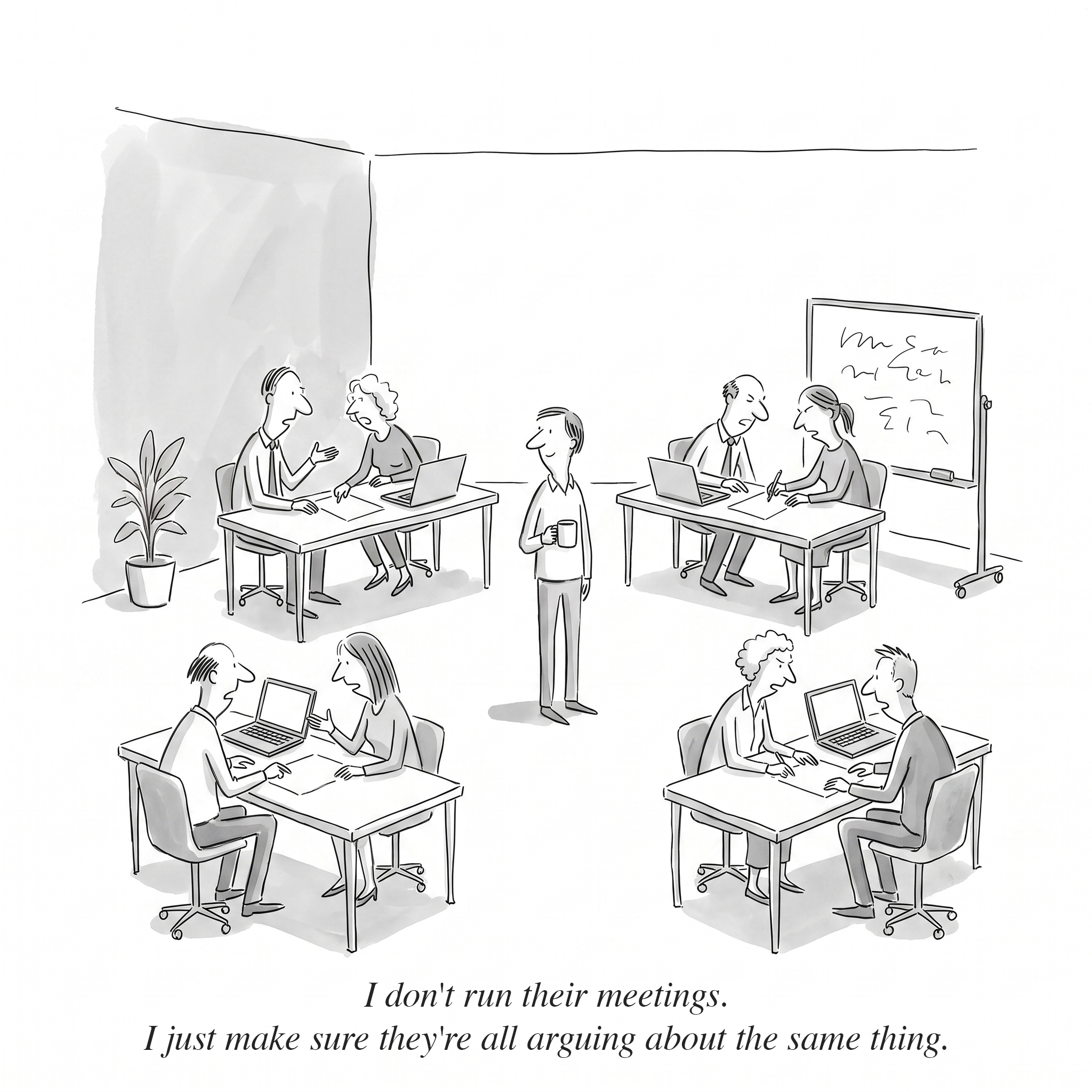
The primary outcome of the solutions is the enhancement of interaction among the various teams within the organization. This improved interaction facilitates a more balanced approach to addressing user needs, allowing them to align more effectively with business requirements. By fostering better communication and understanding between teams, the organization can ensure that user needs are not only met but also harmonized with the overarching business goals.
In a broader perspective, this solution significantly reduces the cost associated with the expansion and implementation of our products. By streamlining processes and improving team collaboration, the organization can achieve cost efficiency. Furthermore, this solution also leads to an improved overall user experience. Our products become more user-friendly and intuitive, thereby increasing user satisfaction and engagement, which are crucial for the organization's success.

Want to get in touch?
Drop me a line!

Thank you! Your submission has been received!
Oops! Something went wrong while submitting the form.